Media Update Visual
Use lalui to update your medias visual.
Prerequisite
- Having an account with editor rights at least.
Media will be replacedThis will delete the previous media. If you want to keep the old media, we advise you to create a new one, with a different name.
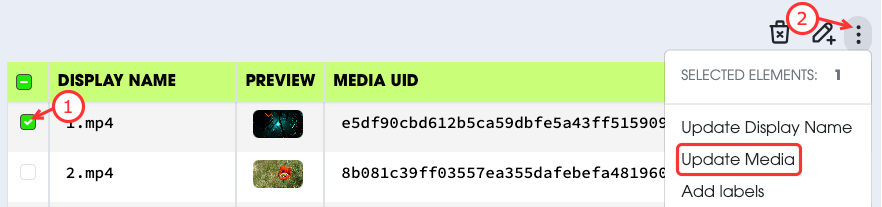
- Select the media you want to update.
- Select
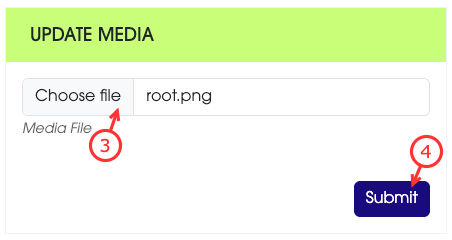
Update Mediafrom the actions menu. - Select, on your local machine, the new media file.
- Apply the changes.