
Create User
Create Users for users or bots.
Prerequisite
- Keycloak URL.
- An admin user account.
Follow First Steps to login. Then browse to User menu
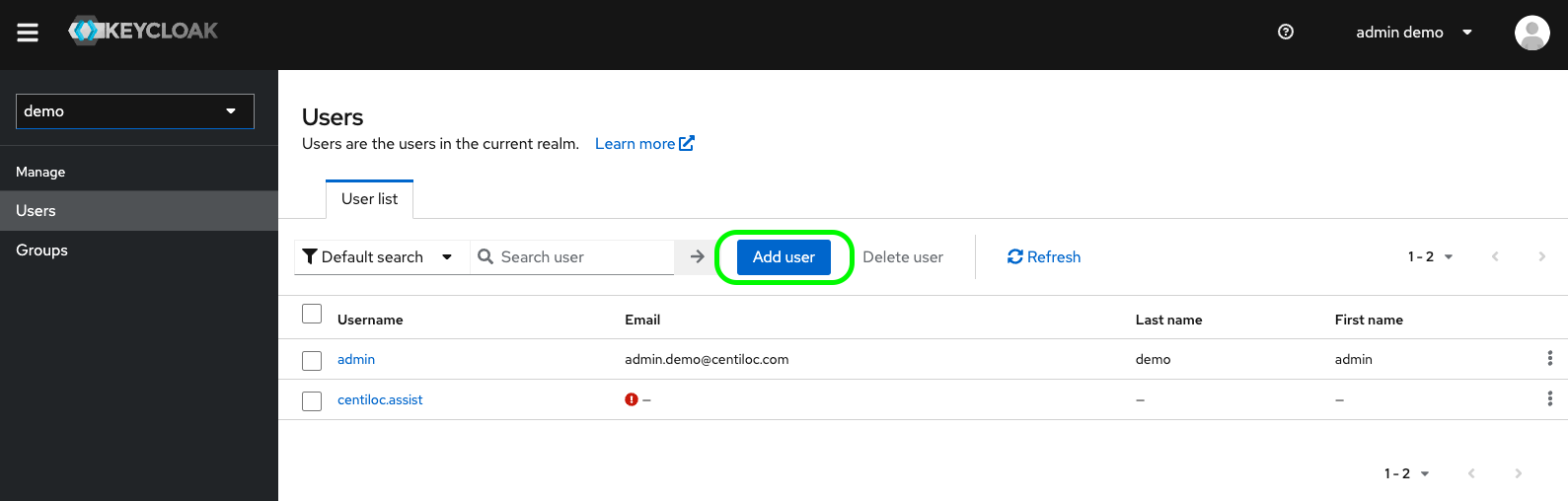
Click Add user.
You can now fill-in the different attributes:
Username: will be used by the user to loginEmail: can be used to login and reset passwordsEmail Verified: for future useGroups: You can add as many groups you want the user to join at creationRequired User Actions: are actions you can ask the user to do when login
Minimum informationUsername is the minimum information required.
No Role, No rightsBy default, a user cannot consume the Platform services (API, web app…). It needs a role to do so, either by single attribution or group inheritance.
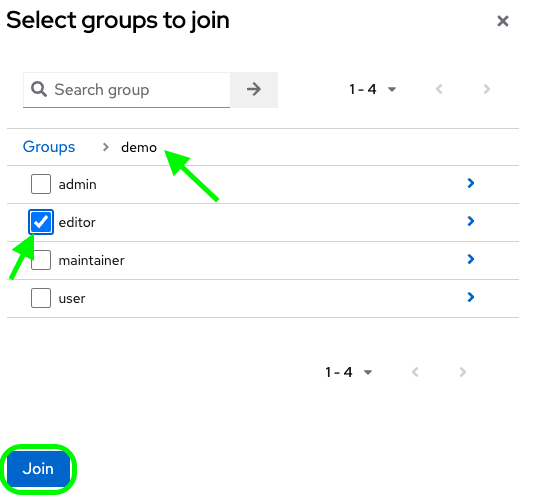
To add default groups, click on Join groups…, then browse to the group you want the user to join.
As soon as you click on Required User Actions, the page proposes few options:
Update Password: will ask the user to change his password at first loginUpdate Profile: will ask the user to change his profile information at first loginVerify Email: start a mail verification loop. Used to validate email for password reset procedure
You can ignore the other options, unless you know exactly what you do: Configure OTP, Webauthn Register, Webauthn Register Passwordless, Verify Profile, Delete Credentials, Update User Locale.
Click Create to complete the user creation.
Setting a default password is described in Reset User Password page.