Labels Management
Use lalui to add or remove labels of your lift & learn entities.
Labels carries informations that can help to carry the information to other services.
A label can have 2 format:
- standard: only a title, no value. A label with a single meaning.
- scoped: a title and a value. A label with multiple meaning based on the value.
- Your TenantID
- Having an account with editor rights at least
You can add or remove labels on medias and lalboxes.
The tutorial is the same for both medias and lalboxes, but the examples are made with media view.If you want to add or remove labels on products, please use enrolui instead.
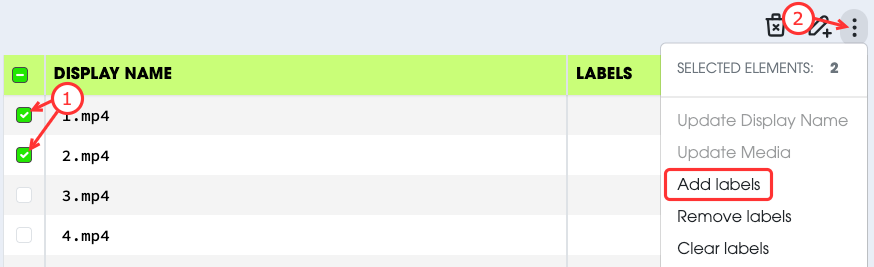
- Select the entities you want to modify.
- Select
Add Labelsfrom the actions menu. - Write the collection of labels you want to apply.
- Submit your request.
In this example, we have added:
- 1 standard label :
video. - 1 scoped label :
campaignwith value01.
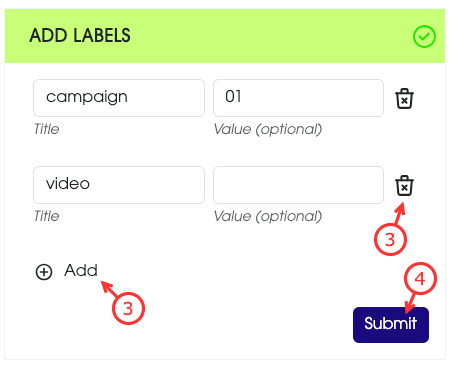
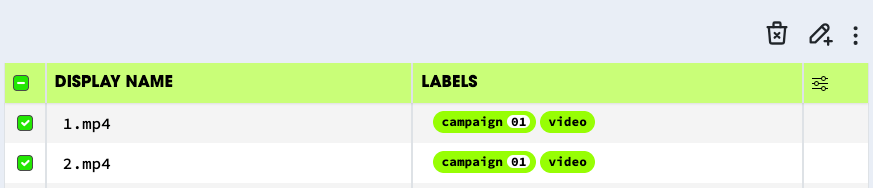
If you add a scoped label with a title which already exists, the previous value will be overriden.
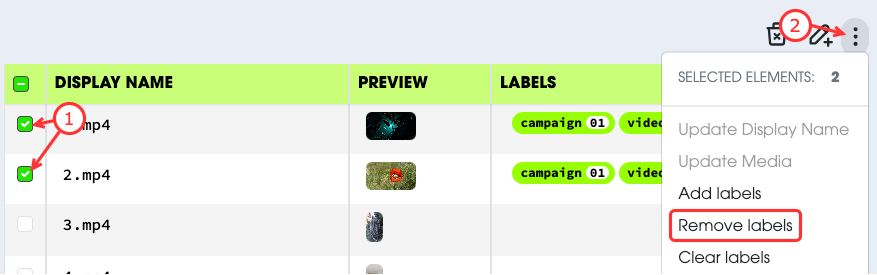
Remove labels will remove some labels. This action cannot be reverted.
- Select the entities you want to modify.
- Select
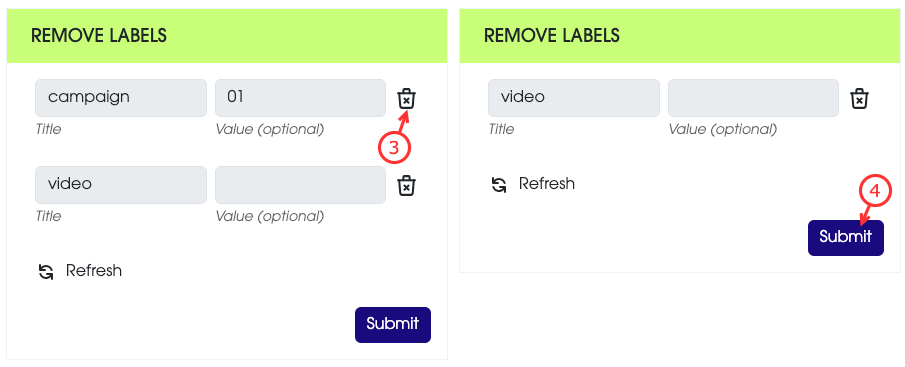
Remove Labelsfrom the actions menu. - Keep the collection of labels you want to remove.
- Submit your request.
In this example, we have removed:
- 1 standard label :
video.
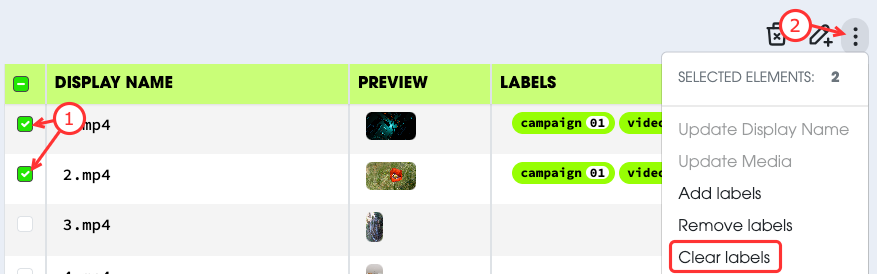
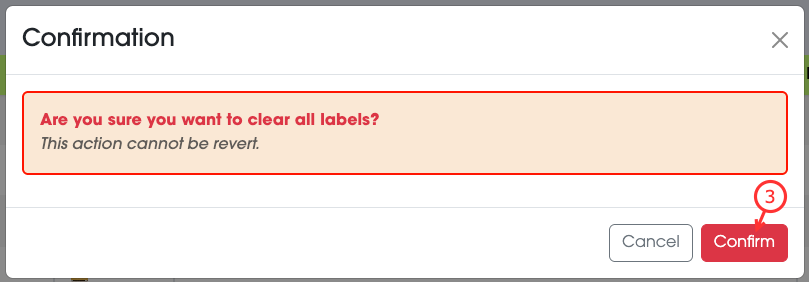
Clear labels will clear and remove all labels. This action cannot be reverted.
- Select the entities you want to modify.
- Select
Clear Labelsfrom the actions menu. - Confirm the action.