Media Product Assignment
Use lalui to assign your media to your product.
- Having an account with editor rights at least.
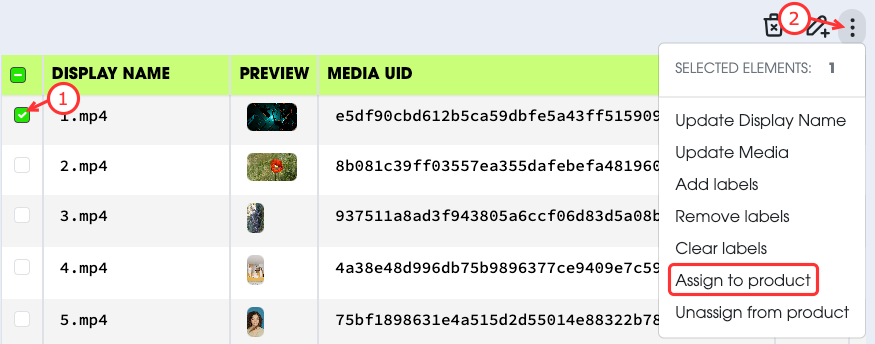
Travel to the Media page.
- Select the media you want to assign products to.
- Select
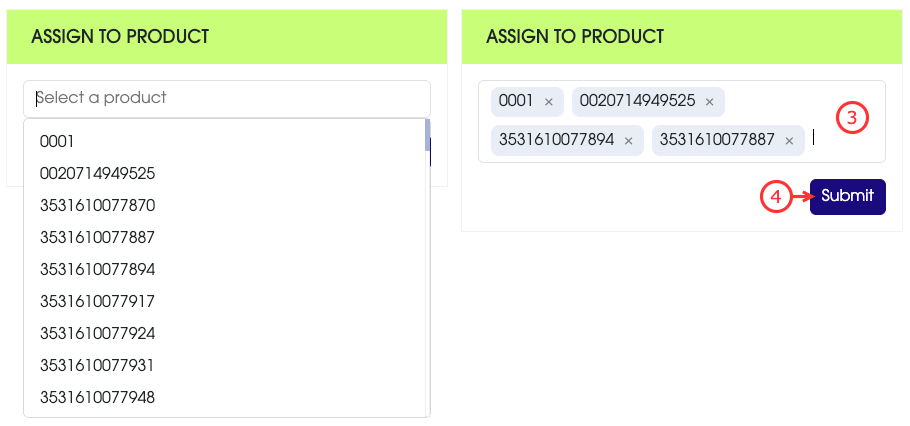
Assign Productfrom the actions menu. - Select the product to assign the media to from the list.
- Submit your request.
You can use theUnassign Productaction to unassign a media from a product. It works the same as the assignment.
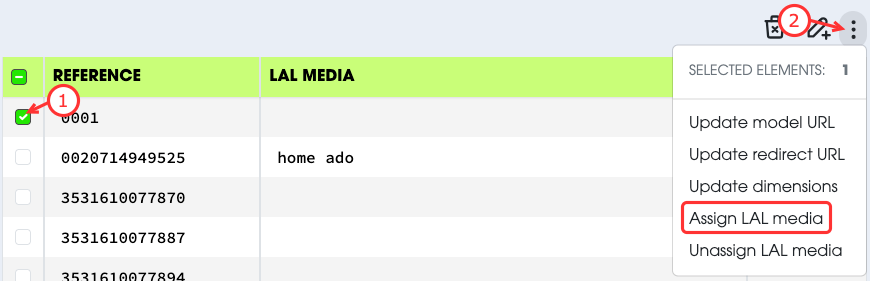
Travel to the Product page.
- Select the product you want to assign the media to.
- Select
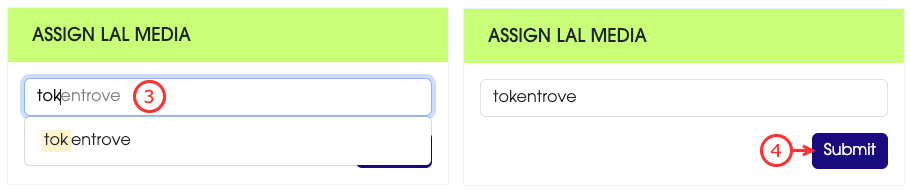
Assign LAL Mediafrom the action menu. - Select the media to assign from the list of existing medias.
- Submit your request.
You can use the
Unassign LAL Mediaaction to unassign a media from a product.This will simply remove directly the media, without asking for confirmation.