Update Product DPP Media
Use enrolui to update your product DPP medias.
Prerequisite
- Having an account with editor rights at least.
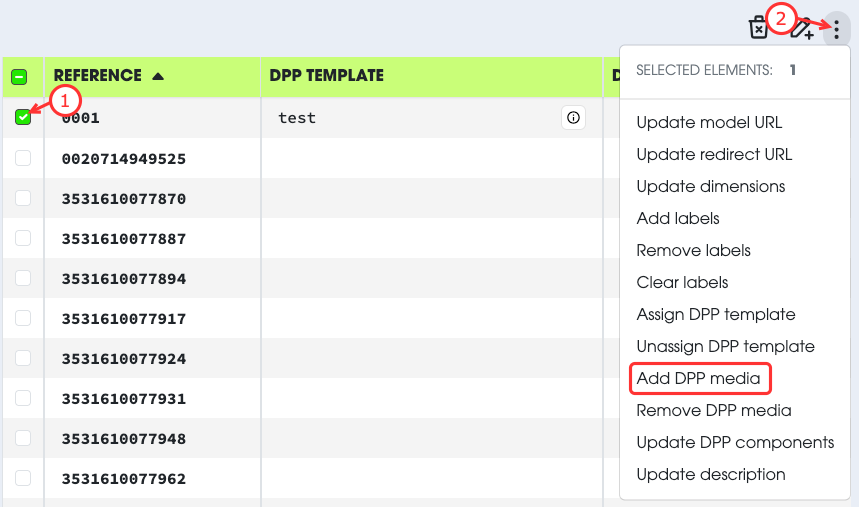
- Select the product you want to modify.
- Open the Action menu.
- Select
Add DPP Media. - Select the file on your local machine.
- Fill in the display name. This name is used to identify the media easily.
- Set the icon as favorite or not.
- Submit the changes.
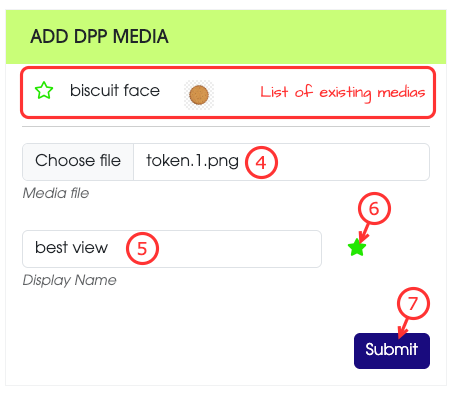
Only one favoriteThere can only be one favorite media.
If you want to change the favorite media, you must remove the previous one before uploading the new one.
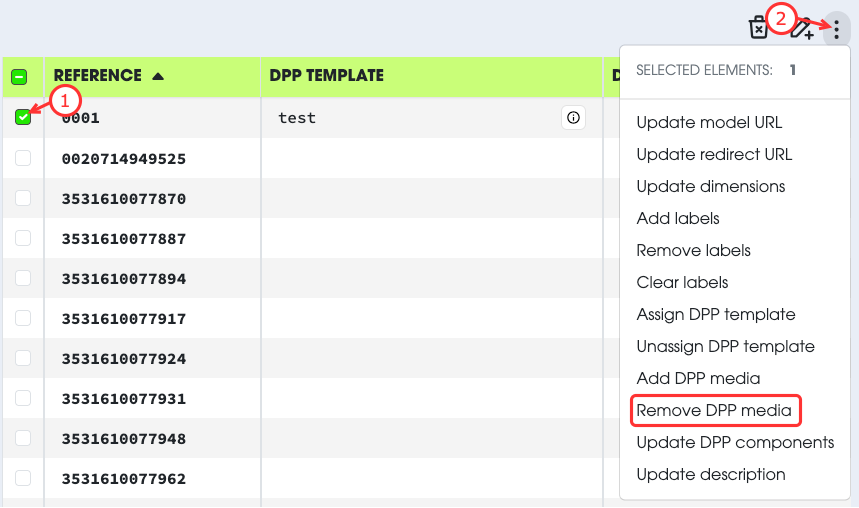
- Select the product you want to modify.
- Open the Action menu.
- Select
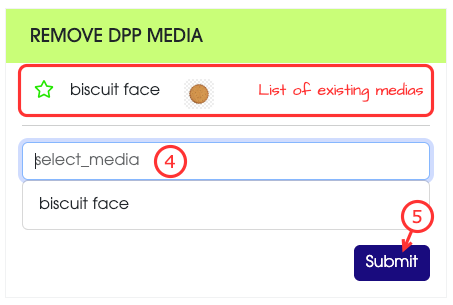
Remove DPP Media. - Select the name of the media to remove.
- Submit the changes.